Installation
Three steps: preview the static sites, start the operator admin, and put the code in a GitHub repository you own. Every command on this page was run on 2026-09-25 against a clean copy of the repository unless it is marked otherwise.
1. Get the code#
Unzip the package you received (or clone your repository) into a folder. The rest of this guide calls that folder the repository root. It contains index.html, admin/, config/, scanner/, terminal/, design-system/ and docs/.
2. Preview the public sites#
The public pages are static files. Serve the repository root with any static server; the one below comes with Python 3.
cd path/to/repository-root
python3 -m http.server 8777
Then open these addresses:
| Page | Address |
|---|---|
| Landing page | http://127.0.0.1:8777/ |
| Spread Scanner | http://127.0.0.1:8777/scanner/public/index.html |
| Prediction Terminal | http://127.0.0.1:8777/terminal/public/index.html |
| These docs | http://127.0.0.1:8777/docs/ (they also open straight from the file system) |
The pages show whatever data files are in the repository. They never invent a value: a missing file shows an error that says which file is missing, and a missing number shows unknown.
3. Start the operator admin#
The admin is the MIKODES Admin Kit wired to this product. It runs on your computer only, listens on 127.0.0.1 (not reachable from other machines) and writes config/public.json.
cd admin
npm install        # hono, @hono/node-server, better-sqlite3, tsx
npm run init       # once: writes admin/.env with a fresh ADMIN_SECRET_KEY (file mode 600)
npm start          # http://127.0.0.1:8811/admin
- Read the setup code. On first start the terminal prints "No owner account yet. Open /admin and create it with this one-time setup code" followed by the code. It is shown once; restarting the server issues a new one.
- Create the owner. Open
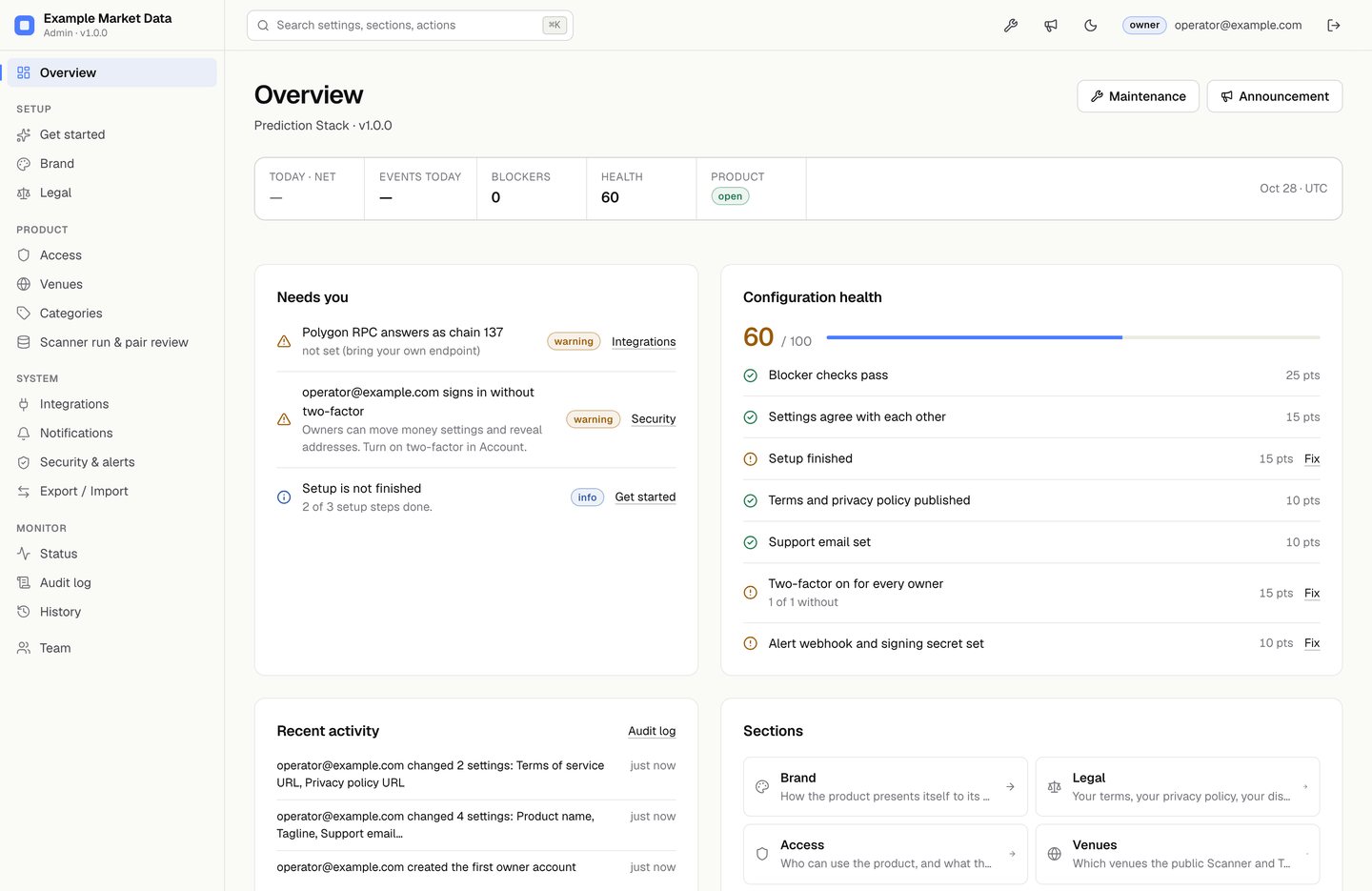
http://127.0.0.1:8811/admin, enter the code, your email and a password of at least 12 characters. You are now the owner. - Follow "Get started" in the admin, then fill Brand, Legal, Venues and Categories. Each save rewrites
config/public.json. See Admin and configuration.
Admin environment variables#
All optional except ADMIN_SECRET_KEY, which npm run init writes for you. Put them in admin/.env as KEY=value lines or export them in the shell.
| Variable | Default | Purpose |
|---|---|---|
ADMIN_SECRET_KEY | none (required) | Encrypts the secrets you store in the admin (RPC URL, webhook secret). Generated by npm run init; openssl rand -hex 32 also works. Without it the server refuses to start. |
PORT | 8811 | Admin port. |
HOST | 127.0.0.1 | Listen address. Change only behind your own TLS reverse proxy. |
ADMIN_DATA_DIR | data | Folder (inside admin/) for admin.sqlite. |
PUBLIC_CONFIG_PATH | config/public.json | Where the public config is written, relative to the repository root. |
PAIRS_DB_PATH | scanner/data/pairs.jsonl | The pair database the review page writes decisions into. |
Check the admin install#
cd admin
npm test           # 6 tests: manifest, fee caps, empty fee hook, public file contents, fee cadence
npm run typecheck  # TypeScript, no output when clean
Back up#
Back up admin/.env and admin/data/admin.sqlite together. Both are git-ignored and never leave your machine. If you lose the key, the stored secrets cannot be decrypted and you must enter them again; the other settings remain readable.
4. Put the code in your own GitHub repository#
The refresh job only runs from a GitHub repository. Create an empty repository on GitHub (private is fine), then from the repository root:
git init            # skip if the folder is already a git repository
git add .
git commit -m "Prediction Stack"
git branch -M main
git remote add origin https://github.com/YOUR-ACCOUNT/YOUR-REPOSITORY.git
git push -u origin main
admin/.gitignore keeps admin/.env, admin/data/ and node_modules/ out of git, and the root .gitignore excludes every .env* file. Run git status before the first commit and make sure neither .env nor admin.sqlite is listed.
Next: run the refresh job.