Overview
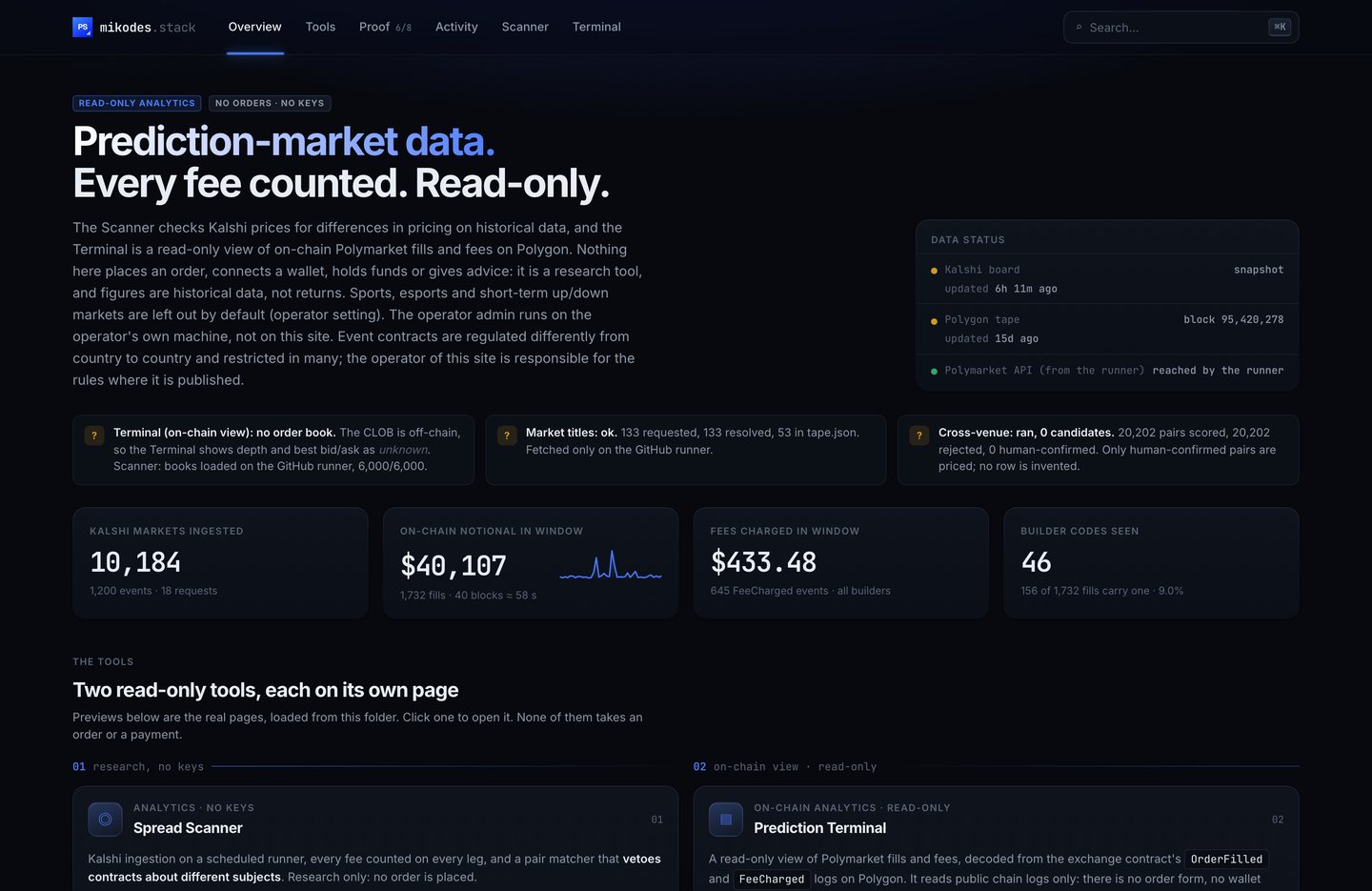
The Prediction Stack is read-only prediction-market analytics: two static web pages over Kalshi and Polymarket data, one data job that runs on GitHub, and one operator admin that runs on your own computer. This page says what each part does today and, just as important, what has not been proven yet.
The parts#
| Part | What it is | Where |
|---|---|---|
| Landing page | One page that links the two tools, shows the claims table (proven / not proven) and the largest rows from the current data files. | index.html |
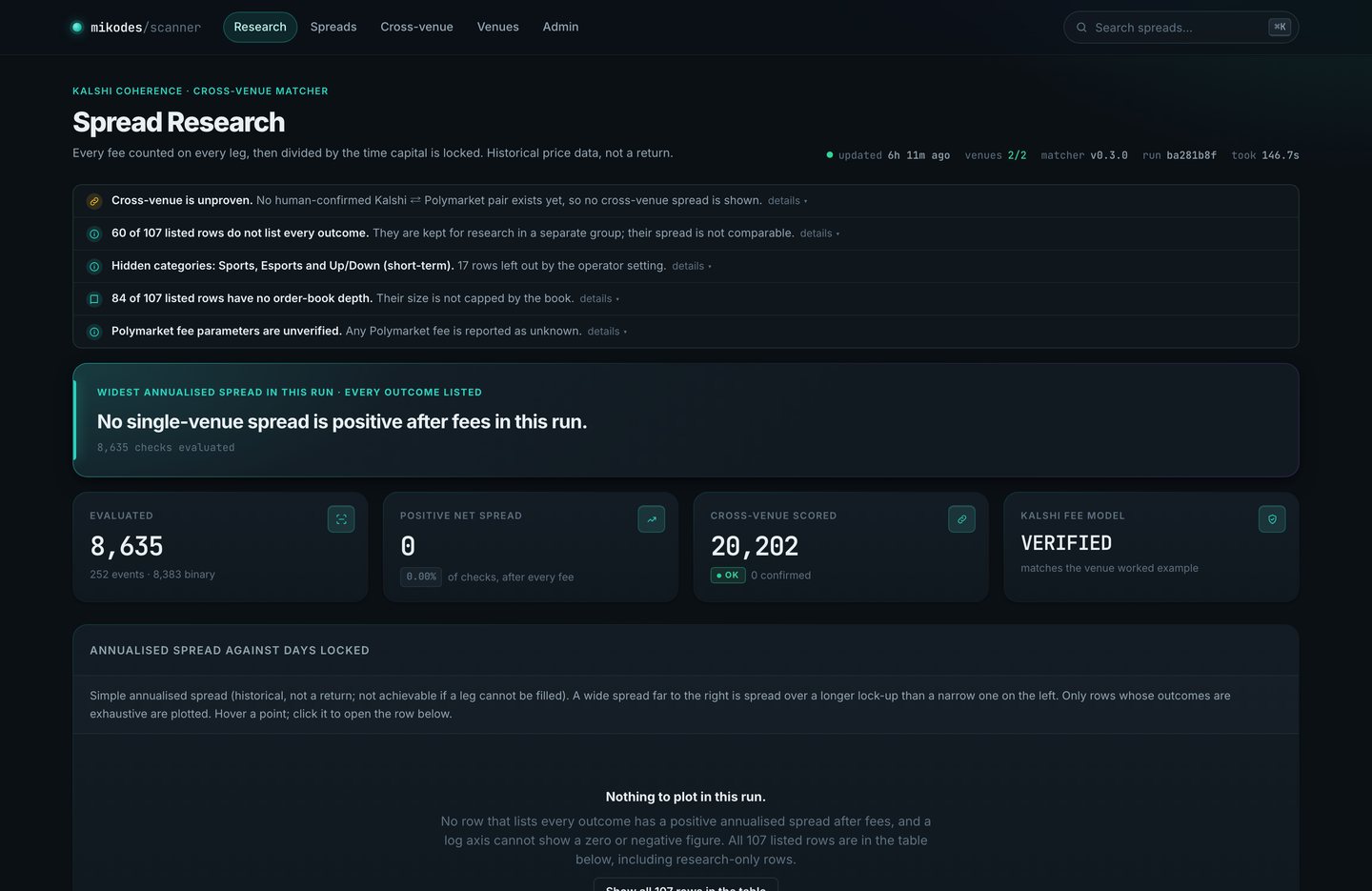
| Spread Scanner ("Spread Research") | Reads board.json. Shows single-venue Kalshi spreads with every fee counted and annualised over the days the money is locked, the cross-venue matcher's result, venue health and the pair review queue. | scanner/public/ |
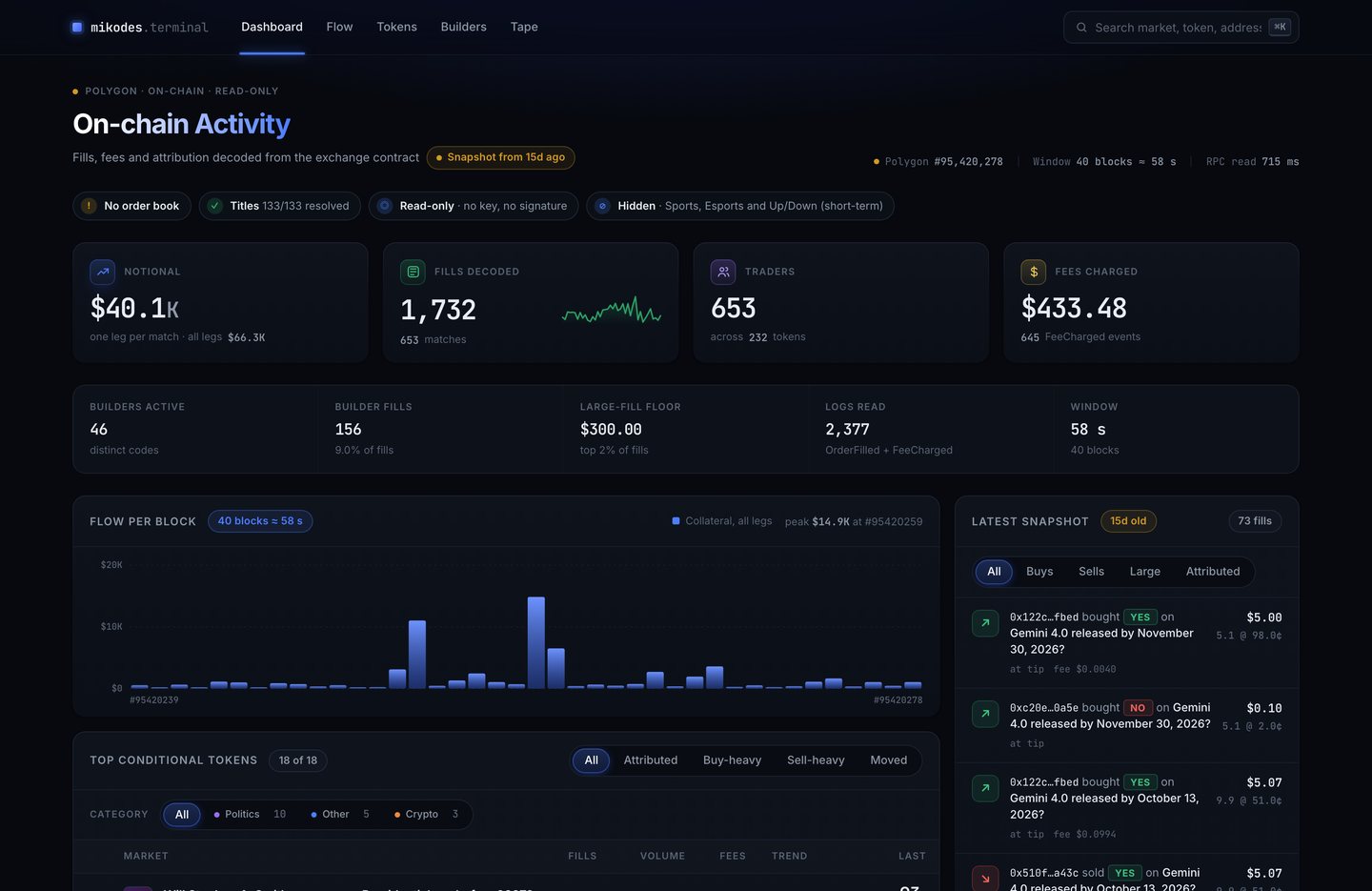
| Prediction Terminal ("On-chain Activity") | Reads tape.json. Shows Polymarket fills, fees and builder-code attribution decoded from the Polygon blockchain: flow per block, top tokens, attribution by builder code and the latest fills. Read-only: it holds no key, signs nothing and places no order. | terminal/public/ |
| Refresh job | A GitHub Actions workflow that fetches both venues and Polygon, applies your category filter, writes the JSON files and commits them. Manual start only until you turn on the schedule. | .github/workflows/refresh.yml |
| Operator admin | Built on the MIKODES Admin Kit 0.4.0. Runs on 127.0.0.1:8811 on your machine. Writes config/public.json, which the public pages read: brand, legal links, venues and the categories the pages hide. Also the place to confirm or reject matched pairs. | admin/ |
How the pieces fit together#
GitHub runner (refresh.yml, manual or on a schedule)
  ├─ scanner/src/run.js   Kalshi + Polymarket  → public/board.json, public/crossvenue-diag.json, data/pairs.jsonl
  ├─ terminal/src/onchain.js   Polygon logs     → public/data/tape.json
  └─ terminal/src/titles.js    Polymarket Gamma → adds market titles, applies the category filter
  (both read config/public.json categories.hidden: hidden markets are not written)
        │  git commit + push
        ▼
Your static host (Vercel or any other)  ←  also serves config/public.json
        │  plain HTTPS GET, no server code
        ▼
Visitor's browser: Scanner, Terminal, landing page

Your computer: admin/ (127.0.0.1:8811) → writes config/public.json and pair decisions → you commit and deploy
There is no application server in the visitor's path, no database behind the public pages and no API key in the code. Every venue endpoint used is public and unauthenticated. The one thing that needs a server-side fetch is Kalshi, which refuses any browser request carrying an Origin header (HTTP 403, re-checked 2026-09-25). That is why the data is fetched by the job, not by the page.
What is proven, and what is not#
Measured on the refresh run of 2026-09-23 11:04 UTC and the refresh job logs. Your copy carries a later run; the Scanner and the Terminal show its own counts.
| Claim | Status | Evidence |
|---|---|---|
| Kalshi market data and fees are read live, with no key | Proven | 8,550 Kalshi markets in the last run. Fee formula reproduces Kalshi's published worked example exactly. |
| Polymarket market data is read on the GitHub runner | Proven | 49,939 open markets read. The 50,000 safety ceiling was reached, so more markets exist than were read. |
| Polymarket fee parameters | Unknown | The fee formula comes from Polymarket's MIT SDK source. No live fee schedule has been fetched, so every Polymarket fee is shown as unknown. |
| Cross-venue matching finds the same contract on both venues | Not proven | 23,509 pairs scored: 0 candidate, 0 review, 23,509 rejected. The settlement-time veto fired on every pair. 0 true matches have ever been found. |
| A positive single-venue spread exists right now | None | 7,260 binary markets and 216 multi-outcome events checked; 0 positive after fees. Only 3 events list every outcome (a catch-all leg), which the Scanner requires before it counts a spread. |
| Human-reviewed pair database | Empty of decisions | pairs.jsonl holds 768 machine-scored pairs, 0 confirmed or rejected by a person. |
| Category filter (sports, esports, short-term up/down hidden by default) | Proven | Applied to the committed files: the board and the tape list no market in a hidden category, and each page says how many rows it left out. |
| Polygon fills, fees and builder attribution | Proven | Read from public RPCs, decoded against the exchange's event signatures. Re-run for this guide on 2026-09-25: 1,894 fills in 40 blocks. |
| Market titles for the Terminal | Proven on the runner | 109 of 109 token ids resolved in the committed tape. |
| Orders of any kind | Not included | The item is read-only analytics: no order form, no wallet connection, no signing and no funds. No order code exists in this release. |
Quick start (10 minutes)#
- Preview the sites. From the repository folder run
python3 -m http.server 8777and openhttp://127.0.0.1:8777. The pages render the data already committed in the repository. See Installation. - Start the admin.
cd admin, thennpm install,npm run init,npm start. Openhttp://127.0.0.1:8811/adminand create the owner with the one-time code printed in the terminal. See Installation. - Put the code in your own GitHub repository and run the refresh board workflow once by hand. See Data refresh job.
- Set your brand, links and the categories to hide in the admin, then commit
config/public.json. See Admin and configuration. - Deploy the repository root to a static host. See Deployment.