Admin and configuration
You configure the Stack in the operator admin (MIKODES Admin Kit 0.4.0). The admin turns your settings into one public file, config/public.json, which the static pages read when they load. The live site changes only when you commit and deploy that file.
How a setting reaches the public site#
- You save a change in the admin. The Kit records it in its audit log and history.
- The admin rewrites
config/public.json(atomically, only when the content changed). - You commit
config/public.jsonand push. If your host deploys on push, the site updates; otherwise deploy by hand. - Each page fetches
/config/public.json(and../../config/public.jsonfrom the product folders) withcache: "no-store". If the file is missing or has anotherschema, the page keeps its built-in defaults, which are the same as the shipped file.
Admin sections#
| Section | Settings | Effect |
|---|---|---|
| Get started | A checklist of what is still empty. | Admin only. |
| Brand | Product name, tagline, accent colour, logo, support email, website. | brand.* in public.json. Scanner, Terminal and the landing page show them. |
| Legal | Terms URL, privacy URL, disclaimer. | legal.*. Footer links and text. An empty field shows nothing, never a # link. |
| Access | Maintenance mode, maintenance message, announcement banner. | access.*. Maintenance replaces the page content with your message. |
| Venues | Show Kalshi, show Polymarket. | venues.*. Hides a venue's rows on the pages. The refresh job still fetches both venues; to stop fetching one, change the job. |
| Categories | Hidden categories (a multi-select). Default: Sports, Esports, Up/Down (short-term). | categories.hidden. The pages leave these markets out of every list, and the refresh job skips them. See Categories. |
| Integrations | Polygon RPC URL. Write-only (stored encrypted, never shown again), with a Test button. | Used by the Status checks only. Never written to public.json. |
| Notifications | Webhook URL and signing secret for the Kit's alerts. | The Kit sends signed webhooks. There is no email delivery. |
| Scanner run & pair review | The last Scanner run from board.json and the queue of machine-matched pairs. | "Same contract" / "Not the same" is written into scanner/data/pairs.jsonl. See Pair review. |
| Status | Health checks (below). | Admin only. |
| Audit log, History, Team, Security, Export / Import | Standard Admin Kit pages: who changed what, roll back, invite members with roles, two-factor, sessions, export and import settings. | admin/data/admin.sqlite. Wallet-like values are masked in the audit log. |
Two standard Kit fields are left out on purpose, because a static site cannot honour them: blocked countries (a static page does not know the visitor's country, so the field would block nothing) and alert email (nothing in this product sends email).
Status checks#
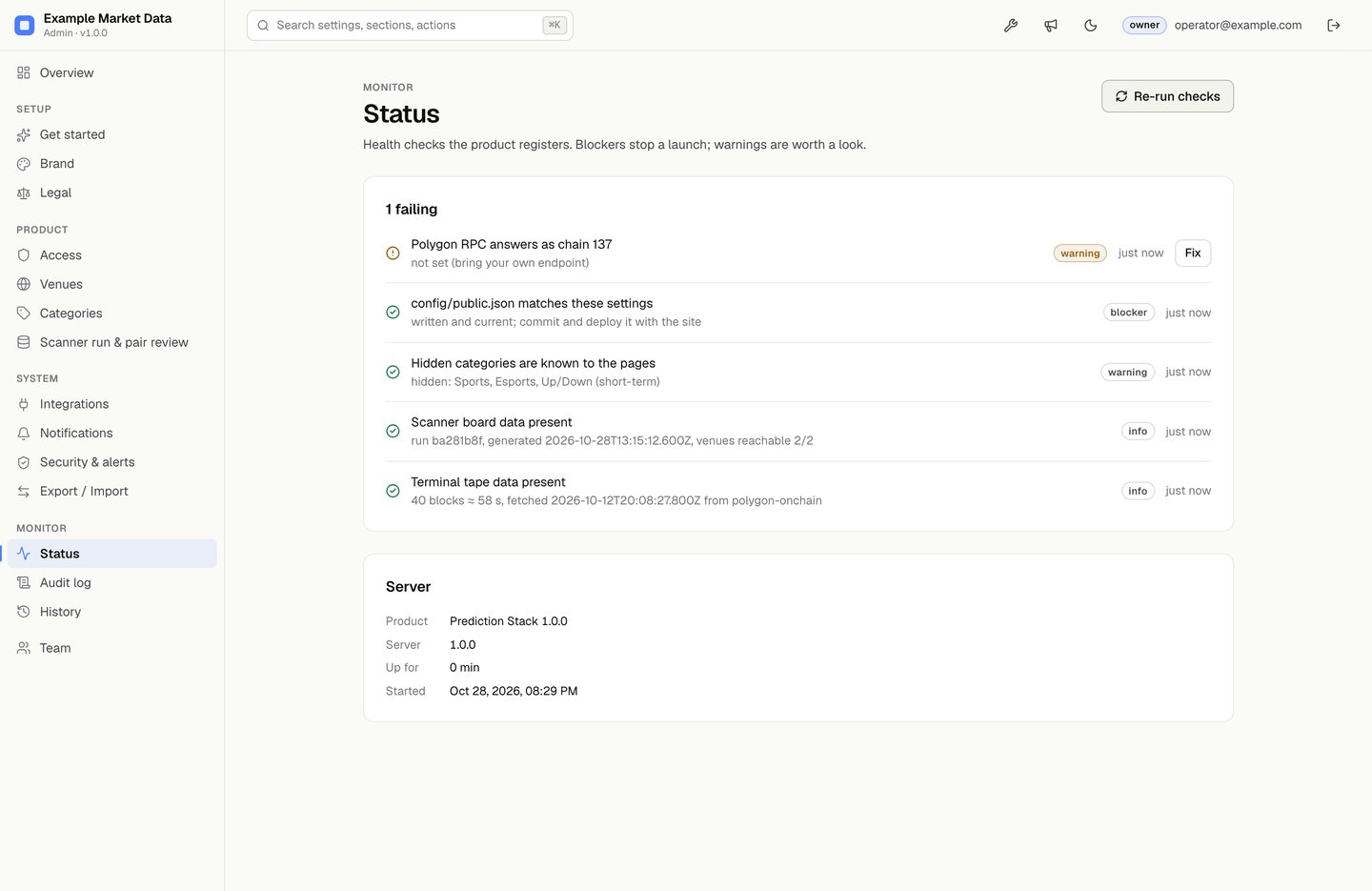
| Check | Severity | What it reads |
|---|---|---|
publicConfig | blocker | config/public.json equals what the saved settings produce. |
categories | warning | Every hidden category is a label the pages know. |
polygonRpc | warning | Your RPC URL answers eth_chainId with 137. |
scannerBoard, terminalTape | info | The data files exist, and when they were produced. |
config/public.json reference#
Schema mikodes-prediction-public/1. Every field is always present. An empty string means "not set": the page hides the element, it never fills in a placeholder. As shipped, both venues are shown, Sports, Esports and Up/Down (short-term) are hidden, and every brand and legal field is empty. There is no order or fee field: the product is read-only.
| Field | Type, default | Meaning |
|---|---|---|
schema | string | Contract version. A page that sees another value ignores the file. |
brand.name | string, "" | Product name. Empty keeps the page's built-in name. |
brand.tagline | string, "" | Short line under the name. |
brand.accent | string, "" | #rgb or #rrggbb. Empty keeps the theme accent. |
brand.logo | string, "" | Image URL or data:image/… URL. |
brand.supportEmail | string, "" | Footer contact address. |
brand.website | string, "" | Footer link. |
legal.termsUrl, legal.privacyUrl | string, "" | Footer links "Terms" and "Privacy". |
legal.disclaimer | string, "" | Footer text, shown as text (no HTML). Empty keeps the page's own notice. |
access.maintenance | boolean, false | Replaces page content with the maintenance message. |
access.maintenanceMessage | string, "" | Empty with maintenance on shows "Temporarily unavailable." |
access.announcement | string, "" | One-line banner at the top. Text, not HTML. |
venues.kalshi, venues.polymarket | boolean, true | false hides that venue's rows, cards and filters. The data files still contain them. |
categories.hidden | array of strings, ["Sports", "Esports", "Up/Down (short-term)"] | Categories left out of every list. [] shows every category. |
The file never contains secrets (RPC URL, webhook secret), addresses, member or audit data. The admin's test suite checks this.
Which page uses which field today#
- Scanner: brand, legal, access,
venues.kalshi/venues.polymarket,categories.hidden. - Terminal: brand, legal, access,
venues.polymarket(off shows a notice and no data),categories.hidden. - Landing page: brand, legal, access, venues,
categories.hidden. - Refresh job:
categories.hidden(read from the committed file on the runner).
Categories#
The venues list markets of every kind. The Categories section decides which kinds your pages show. As shipped it hides Sports, Esports and Up/Down (short-term) (five-minute to one-day "up or down" price markets), so the pages show politics, elections, economics, crypto, science and similar markets.
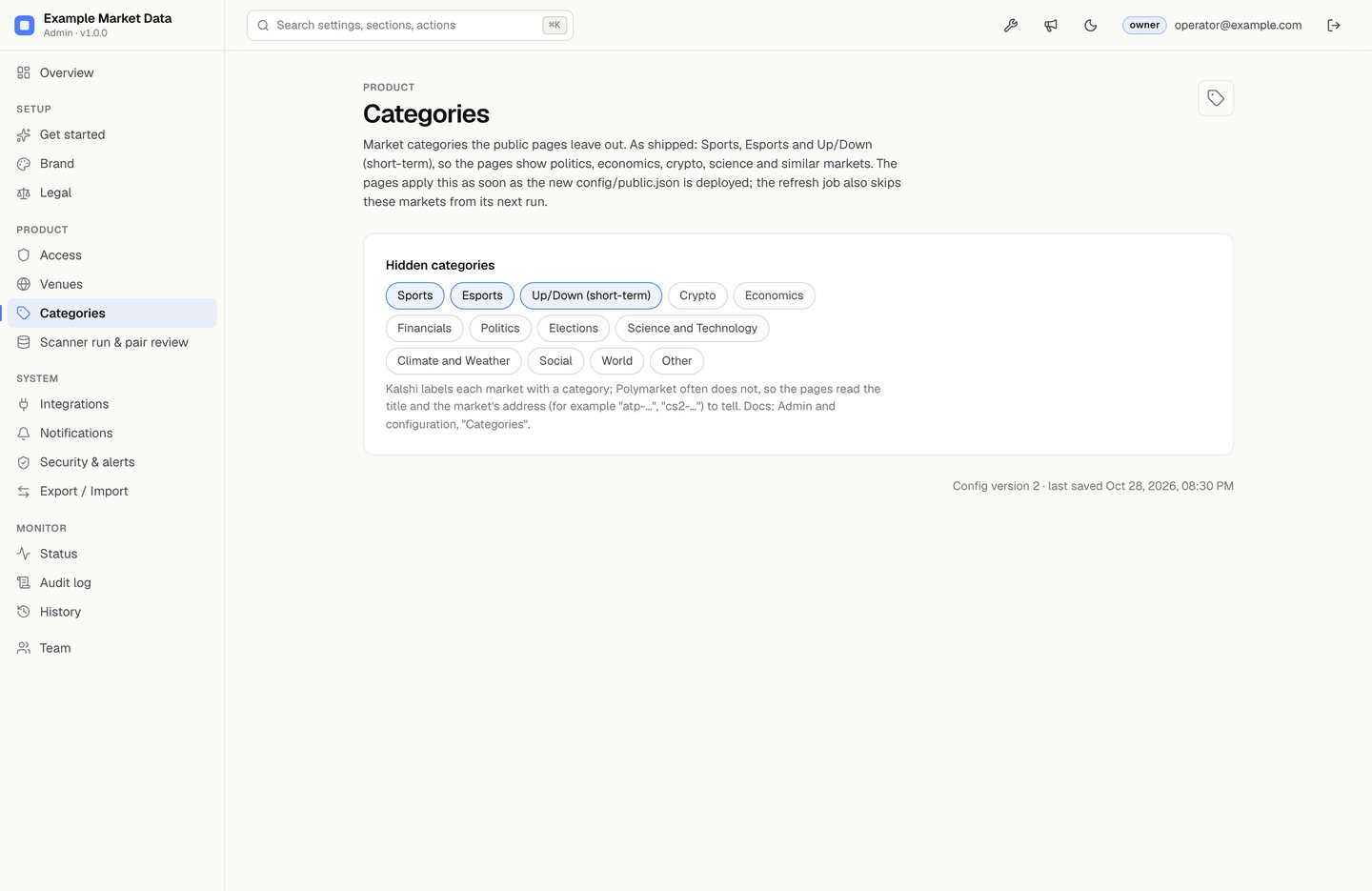
- Open Categories in the admin, pick the labels to hide (or clear them all to show everything), save. The admin rewrites
config/public.json. - Commit and deploy
config/public.json. The pages apply the new list at their next load. - The refresh job reads the same file on its next run and stops writing those markets. To clean the committed data files at once, without fetching anything, run from the repository root:
node scanner/src/category-filter.jsandnode terminal/src/category-filter.js, then commit and deploy.
How a market gets its label. One file, design-system/categories.js, is used by the pages, the job and the tests. A Kalshi market keeps Kalshi's own category ("Sports", "Elections", "Economics"…). A Polymarket market usually has none, so the title, the market address and the ticker decide: for example atp-… or "O/U 2.5" is Sports, cs2-… or "(BO3)" is Esports, …-updown-… is Up/Down (short-term). Anything else that matches no rule is "Other".
What changes on the pages. Hidden markets leave every list (tables, category chips, the activity feed, the review queue, the landing page rails), and each page shows a Hidden notice with the number of rows it left out. Window totals on the Terminal (the KPI tiles, the flow chart, attribution by builder code and fees) still cover every market the chain showed, and the notice says so.
Pair review#
The Scanner never treats two contracts as the same because a machine said so. A pair is priced as a cross-venue spread only after a person confirms it.
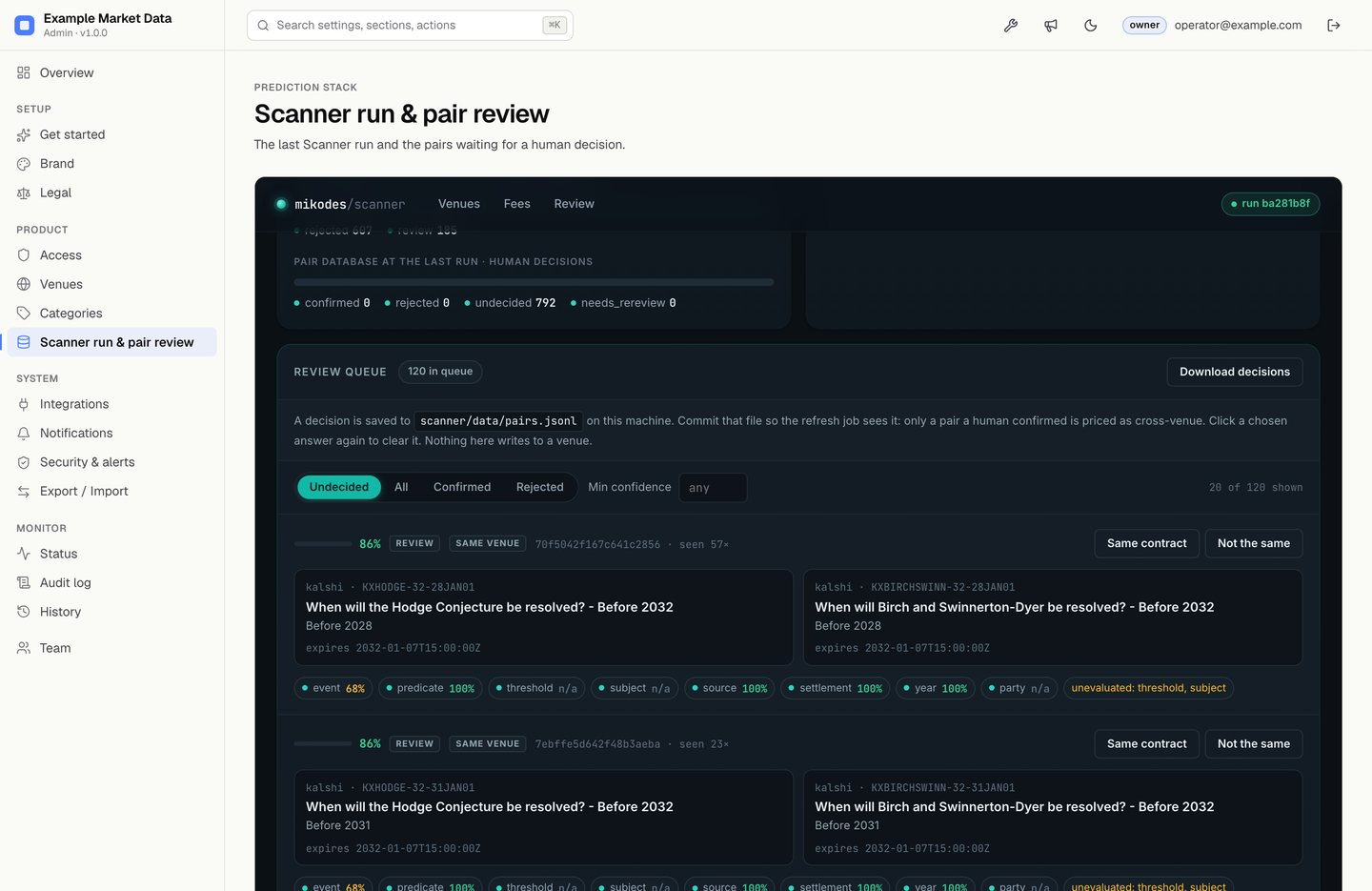
board.json.- Open Scanner run & pair review. It lists the queue from the last
board.json, strongest first, with each dimension's note. - Read both contracts' titles, outcomes and expiry. Choose Same contract or Not the same. Deciding needs the manager or owner role; viewers can only look.
- The decision is written straight into
scanner/data/pairs.jsonl(asadmin (owner)oradmin (manager); the audit log keeps who). - Pull first, then commit and push
pairs.jsonl. The refresh job also commits this file on every run, so pull before deciding to avoid a merge conflict. The next run prices confirmed pairs.
If a matched market's text, sources or expiry change later, or the matcher version changes, the pair is flagged for re-review instead of keeping an old verdict silently.
Running the admin on another machine#
The admin is meant for your own computer. Never deploy admin/ with the public site; .vercelignore already excludes it. If you must reach it remotely, put it behind your own TLS reverse proxy, set HOST, forward x-forwarded-proto: https, and turn on "require two-factor" in Security.